
Relay Updates: Enhancing User Interaction with Canvas Tap Selection
Relay Solutions has introduced several changes to improve user interaction on their platform, focusing on the `canvasTapSelectionRef` ref, `onPointerDownCapture`, and `onClickCapture`.
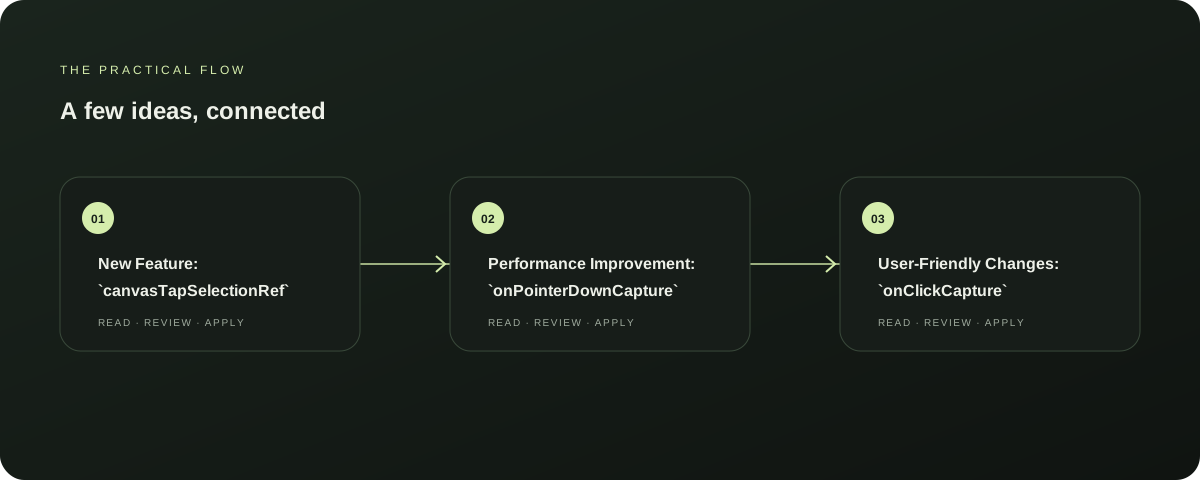
New Feature: `canvasTapSelectionRef`
Added `canvasTapSelectionRef` ref to track tap selection events, enhancing the platform's ability to recognize and respond to user interactions on the canvas. This feature is particularly useful for applications requiring precise control over user actions on graphical elements.
Explore this section
This update is available in the latest version of Relay Solutions. Further reading: Relay Solutions release notes: User-Visible Changes
Performance Improvement: `onPointerDownCapture`
Updated `onPointerDownCapture` to prevent default behavior on text elements and handle tap selection. This change ensures that text elements do not trigger unexpected actions when tapped, improving the overall user experience by reducing potential errors and inconsistencies.
Explore this section
The `onClickCapture` update follows, addressing tap selection events and providing a more controlled interaction experience. Further reading: Relay Solutions release notes: User-Visible Changes
User-Friendly Changes: `onClickCapture`
Changed `onClickCapture` to prevent default behavior on tap selection and handle tap selection. This update simplifies the interaction process by preventing default actions on tap events, making the platform more user-friendly and reducing the likelihood of unintended actions.
Explore this section
The `canvasTapSelectionRef` and `onPointerDownCapture` changes complement this update, providing a seamless and controlled user experience across the platform. Further reading: Relay Solutions release notes: User-Visible Changes
Next Steps
These updates are available in the latest version of Relay Solutions. To benefit from these improvements, users should update their applications to the latest version.
Explore this section
This change is designed to enhance user interaction and improve the overall performance and reliability of the platform. Further reading: Relay Solutions release notes: User-Visible Changes
Limitations
While these updates are designed to enhance user interaction, there may be some limitations depending on the specific application's requirements. Users should test the changes thoroughly to ensure compatibility and optimal performance.
Explore this section
Relay Solutions recommends consulting the documentation or reaching out to their support team for further guidance. Further reading: Relay Solutions release notes: User-Visible Changes
Prepared with Qwen from the sources linked throughout this guide. Follow the citations to review original material.
Sources & further reading
Explore the original guidance and research behind this article.
Put the idea into practice.
Explore AutoFeed, or take a look inside a sample workspace.