
Relay Solutions: A Product Update for Enhanced Performance and User Experience
Relay Solutions has introduced several improvements to enhance performance and user experience, including reduced fetches, fallback options, and visual indicators. Simplified logic for sourcing has as
Performance Improvement
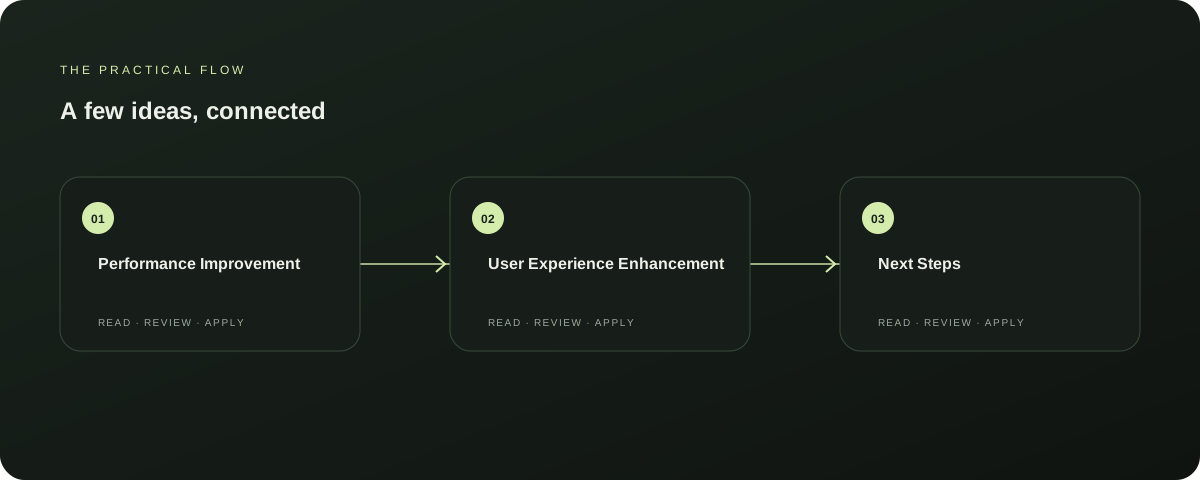
Relay Solutions has optimized performance by reducing unnecessary fetches, providing a fallback option when live source search is unavailable, and adding a visual indicator when a source preview cannot be found. This simplifies the logic for fetching sourcing options, enhancing the overall user experience without compromising performance.
Explore this section
This update is a significant step towards improving the reliability and efficiency of Relay Solutions. Further reading: Relay Solutions release notes: User-Visible Changes
User Experience Enhancement
The latest update enhances user experience by offering a fallback option when live source search is unavailable, adding a visual indicator when a source preview cannot be found, and simplifying the logic for fetching sourcing options. These changes make the product more user-friendly and reduce the complexity of the interface, ensuring a smoother and more intuitive experience for users.
Explore this section
This update is particularly beneficial for users who frequently switch between different sources. Further reading: Relay Solutions release notes: User-Visible Changes
Next Steps
To fully benefit from these improvements, users should regularly check for updates and ensure their Relay Solutions installation is up to date. Additionally, users should be aware that while these changes enhance performance and user experience, they do not affect the core functionality of the product.
Explore this section
This update is a testament to Relay Solutions' commitment to continuous improvement and user satisfaction. Further reading: Relay Solutions release notes: User-Visible Changes
Limitations
While these updates significantly improve performance and user experience, there are some limitations to consider. The simplified logic for fetching sourcing options may not always provide the most accurate results, especially in complex scenarios.
Explore this section
Additionally, the visual indicators may not be visible in all user interfaces, and the fallback option might not always be available due to network or source issues. Users should be aware of these potential limitations and continue to monitor the product for further updates. Further reading: Relay Solutions release notes: User-Visible Changes
Conclusion
Relay Solutions has introduced several useful updates to enhance performance and user experience, making the product more reliable and user-friendly. These improvements are a testament to the company's commitment to continuous improvement and user satisfaction.
Explore this section
Users should regularly check for updates and be aware of the potential limitations to fully benefit from these changes. Further reading: Relay Solutions release notes: User-Visible Changes
Prepared with Qwen from the sources linked throughout this guide. Follow the citations to review original material.
Sources & further reading
Explore the original guidance and research behind this article.
Put the idea into practice.
Explore AutoFeed, or take a look inside a sample workspace.