
Relay Solutions: Enhancing Lyrics Display with Advanced Features
Relay Solutions has updated its AutoFeed feature, introducing new components and functionalities to enhance the user experience. The latest release includes the addition of the LyricAnimatedText, a UI
New Component: LyricAnimatedText
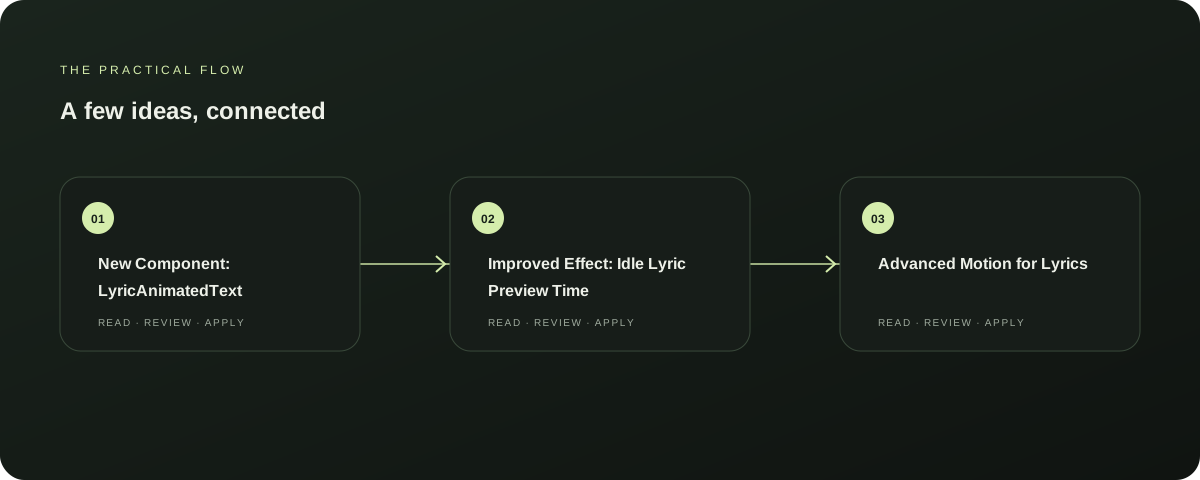
Added LyricAnimatedText component for displaying lyrics, enhancing the visual presentation of lyrics in the AutoFeed feature. This component is designed to dynamically update the lyrics in real-time, improving the user experience by providing a smoother and more engaging viewing experience.
Explore this section
This update is available in the latest release of Relay Solutions. Further reading: Relay Solutions release notes: User-Visible Changes in AutoFeed Strategies Page
Improved Effect: Idle Lyric Preview Time
Updated the useEffect hook to handle idle lyric preview time, ensuring that the preview time is managed more efficiently. This change is crucial for maintaining a smooth user experience, especially when the user is not actively interacting with the app.
Explore this section
The idle lyric preview time state and effect have been updated to better suit the needs of the AutoFeed feature, making the app more responsive and user-friendly. Further reading: Relay Solutions release notes: User-Visible Changes in AutoFeed Strategies Page
Advanced Motion for Lyrics
Implemented advanced lyric motion for more precise timing, improving the accuracy of the lyrics display. This feature ensures that the lyrics move smoothly and accurately, enhancing the overall quality of the AutoFeed feature.
Explore this section
The idle lyric preview time state and effect have been updated to better handle the advanced motion, making the app more precise and reliable. Further reading: Relay Solutions release notes: User-Visible Changes in AutoFeed Strategies Page
Updated Rendering Logic
Updated the lyric rendering logic to handle advanced lyric motion and idle preview, ensuring that the app can now display lyrics with more precision and smoothness. This update is essential for maintaining a consistent and high-quality user experience, especially in the AutoFeed feature.
Explore this section
The idle lyric preview time state and effect have been updated to better suit the needs of the AutoFeed feature, making the app more responsive and user-friendly. Further reading: Relay Solutions release notes: User-Visible Changes in AutoFeed Strategies Page
Next Steps
To fully benefit from these updates, users should update their Relay Solutions app to the latest version. This will ensure that they have access to the new features and improvements, enhancing their overall experience with the app.
Explore this section
The new features are designed to improve the user experience, making the app more efficient and reliable. Further reading: Relay Solutions release notes: User-Visible Changes in AutoFeed Strategies Page
Prepared with Qwen from the sources linked throughout this guide. Follow the citations to review original material.
Sources & further reading
Explore the original guidance and research behind this article.
Put the idea into practice.
Explore AutoFeed, or take a look inside a sample workspace.