Beam Model Deployment: A Practical Checklist for Small Teams
Learn how small teams can run and adapt the 501B Beam model, with steps for inference, post-training and human oversight in AI automation.
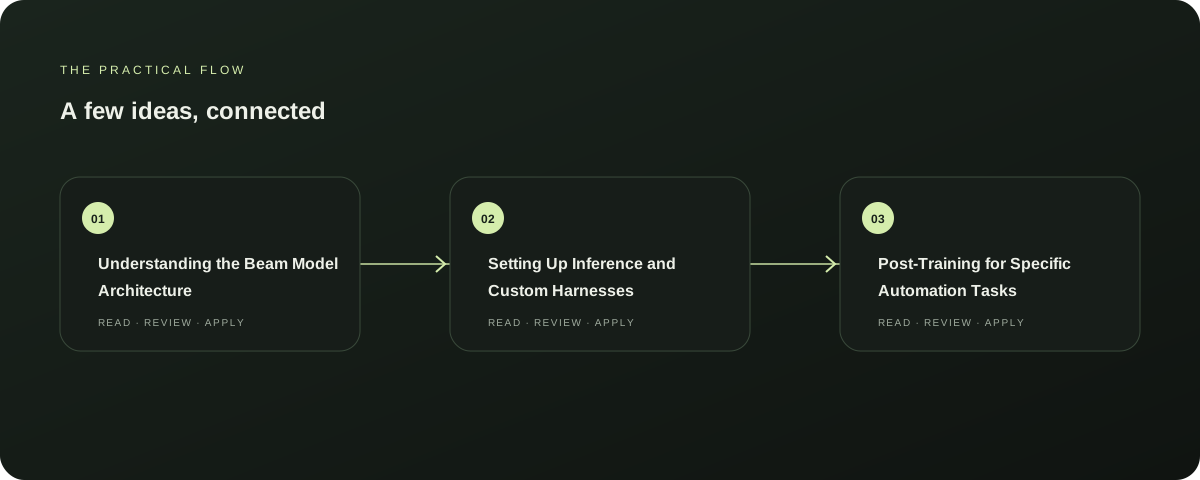
Understanding the Beam Model Architecture
Beam is a 501B-parameter mixture-of-experts model released by Reflection under the Apache 2.0 license. It uses 23B active parameters per token, allowing it to run at the speed of a smaller model while retaining large-model capacity.
Explore this section
The model supports a 1M token context window and is designed specifically for coding and agentic use cases. This architecture is critical for teams seeking frontier-scale performance on their own hardware without relying on external API providers.
Understanding this sparse MoE structure is the first step in planning your infrastructure requirements for the Beam model implementation. Further reading: Hugging Face: Welcome Beam, a 501B open model
Setting Up Inference and Custom Harnesses
Reflection ships Beam with a dedicated Rust-based harness optimized for peak performance, alongside native support in transformers, vLLM, and SGLang. For a small team, choosing the right inference stack is vital.
Explore this section
The Rust harness may offer the best raw speed, but vLLM or SGLang provide broader ecosystem compatibility. You must decide whether to use the provided checkpoint formats like BF16, FP8, or NVFP4.
Testing these configurations against your specific hardware is essential before committing to a production environment for your Beam model implementation. Further reading: Hugging Face: Welcome Beam, a 501B open model
Post-Training for Specific Automation Tasks
Hugging Face has provided recipes for supervised fine-tuning and reinforcement learning to customize Beam for your needs. If your automation workflow requires specific tool-calling behaviors or domain-specific reasoning, you should not rely solely on the base model.
Explore this section
Use the provided Miles framework for full-parameter RL if your team has the computational resources. Alternatively, SFT is a more accessible entry point.
Aligning the model’s output template with your internal data structures ensures that the automated agents behave predictably within your existing operational frameworks. Further reading: Hugging Face: Welcome Beam, a 501B open model
Managing Long-Context Reasoning Limits
Beam supports reasoning that stays in context across turns using the preserve_thinking feature. It offers five reasoning levels, from low to max, with medium as the default.
Explore this section
For practical AI automation, you must calibrate this setting carefully. Higher reasoning levels consume more compute and time, which may not be suitable for high-volume, low-latency tasks.
Start with the default medium setting and adjust based on task complexity. This approach prevents unnecessary resource expenditure while maintaining the logical coherence required for multi-step agentic workflows. Further reading: Hugging Face: Welcome Beam, a 501B open model
Human Checks and Operational Safety
While Beam is powerful, it is a text-in, text-out model. It does not inherently verify its own outputs.
Explore this section
Small teams must implement human-in-the-loop checks for critical actions, especially in coding or financial automation. Use the dedicated tool-calling grammar to constrain the model’s actions to safe, predefined functions.
Do not assume the model’s reasoning is infallible. Establish clear escalation paths for when the model’s confidence drops or when it encounters ambiguous instructions.
This layer of oversight is non-negotiable for responsible deployment. Further reading: Hugging Face: Welcome Beam, a 501B open model
Prepared with Qwen from the sources linked throughout this guide. Follow the citations to review original material.
Sources & further reading
Explore the original guidance and research behind this article.
Explore the Relay apps
Compare AutoBox, AutoFeed and Apply.